PracticeHub for appointments. Chiropay for payments.
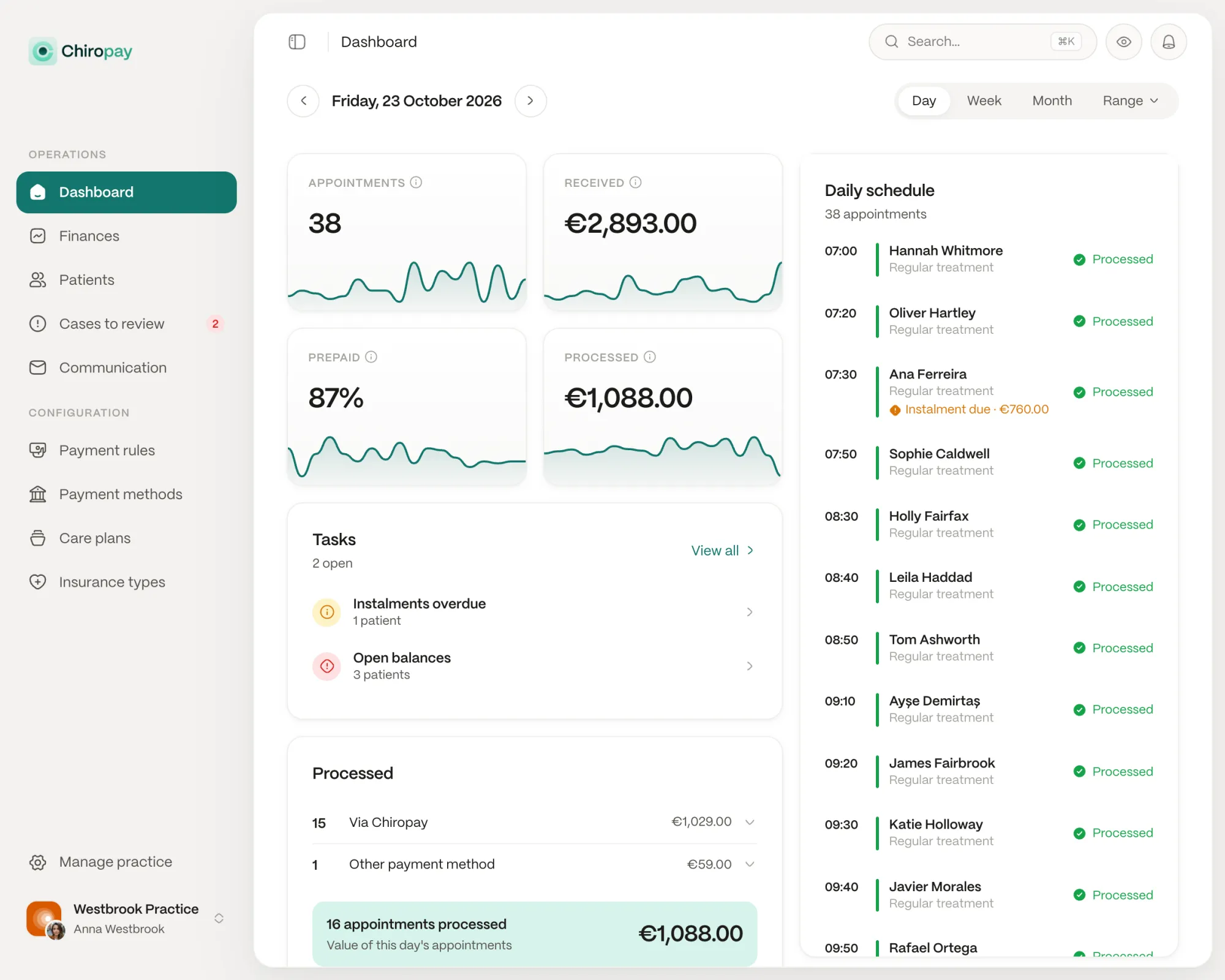
Chiropay sees every appointment, collects payment upfront and adds it to the patient’s record in PracticeHub. You keep processing appointments as always.


One key is all it takes
Create it in PracticeHub, enter it in Chiropay. That’s the whole connection.
Appointments, minute by minute
Chiropay sees every new appointment, its type and what already covers it.
Payment as credit
Whatever comes in shows up as credit on the patient’s record, with an Activity Log entry.
Processing as usual
You process appointments in PracticeHub as always. Chiropay follows your lead.
Ready for PracticeHub 2.0
Chiropay works with PracticeHub 2.0 just as it does with the previous version. If your practice switches, we’ll help you move the connection over.
PracticeHub and Chiropay stay in sync.
Every minute, Chiropay reads what happens in PracticeHub and writes back what happens in Chiropay. You keep working in PracticeHub, and both sides always see the same picture.
Every appointment, wherever it’s booked
It doesn’t matter how an appointment gets into your diary. Chiropay checks what’s new, what’s changed and what’s gone, and adjusts the payment to match.
- Booked online, in the PracticeHub app or entered at reception: Chiropay sees it within a minute.
- Moved: reminders and emails follow the new time.
- Cancelled: the payment request is withdrawn. If it was already paid, the patient chooses between credit and a refund.
Payments in both directions
Chiropay writes every payment back and reads what’s already been paid in PracticeHub. So nobody pays twice, and nothing stays open just because it was paid another way.
- When a patient pays through Chiropay, the payment appears on their record in PracticeHub, with an entry in their Activity Log.
- When you process the appointment, the money is already there.
- When your team records a payment in PracticeHub, cash or card at reception, Chiropay withdraws its request.
- If credit or a care plan already covers it, Chiropay doesn’t ask for money at all.
You decide what Chiropay handles
Not every appointment needs paying upfront. You decide once which appointments and patients Chiropay looks after, and everything else runs as before.
- Choose appointment types one by one: anything you don’t switch on stays untouched.
- A price per appointment type, fixed or by insurance type, such as statutory (GKV) and private (PKV).
- Payment methods per appointment type: PayPal, bank transfer, direct debit or care plan.
- Exclude individual patients, such as staff or family.
Care plans in instalments, session by session
A care plan doesn’t have to be paid all at once. Chiropay keeps PracticeHub up to date with what has actually been paid.
- The first instalment creates the care plan on the patient’s record in PracticeHub.
- Each further instalment unlocks exactly the sessions it pays for.
- Chiropay recognises care plan appointments by the remaining sessions and sends a confirmation instead of a payment link.
Instalment 2 paid
8 more sessions are unlocked in PracticeHub.
Questions about the integration.
What practices want to know about how PracticeHub and Chiropay work together.
Show us your PracticeHub.
We’ll connect it to Chiropay with you and show you, on your own appointments, what happens by itself from then on.
Read on