Paid upfront, with PayPal.
The patient chooses PayPal in the payment email and is done in two taps. Chiropay checks the payment, matches it to the appointment and records it in PracticeHub.


No invoices to write
Chiropay creates the PayPal payment when the patient chooses it.
Paid before the appointment
Your daily schedule shows who has already paid. Nothing to collect at reception.
Fees in plain sight
The actual fee per payment, in the payout and for your accountant.
Refunds on cancellation
The patient chooses credit or their money back, Chiropay does the rest.
Safe for patients, no extra work for you.
Anyone asked to pay before their appointment wants to know their money is safe. Many of your patients already know PayPal: they pay from their own account without typing in bank or card details. For you, it all runs by itself, from payment to recording to refund.
The simplest, most popular way to pay
Many patients already have PayPal on their phone. They tap PayPal in the email, sign in and are done. No invoice, no account number, no typing.
- The payment email comes in your practice’s name, with the appointment and amount.
- The patient chooses PayPal and goes straight to the PayPal checkout.
- Care plan instalments can be paid with PayPal too, each one separately.
Paid before the patient arrives
Nobody at reception has to ask for money or chase an open bill. Anyone who has paid with PayPal is done, and you can see it before they walk through the door.
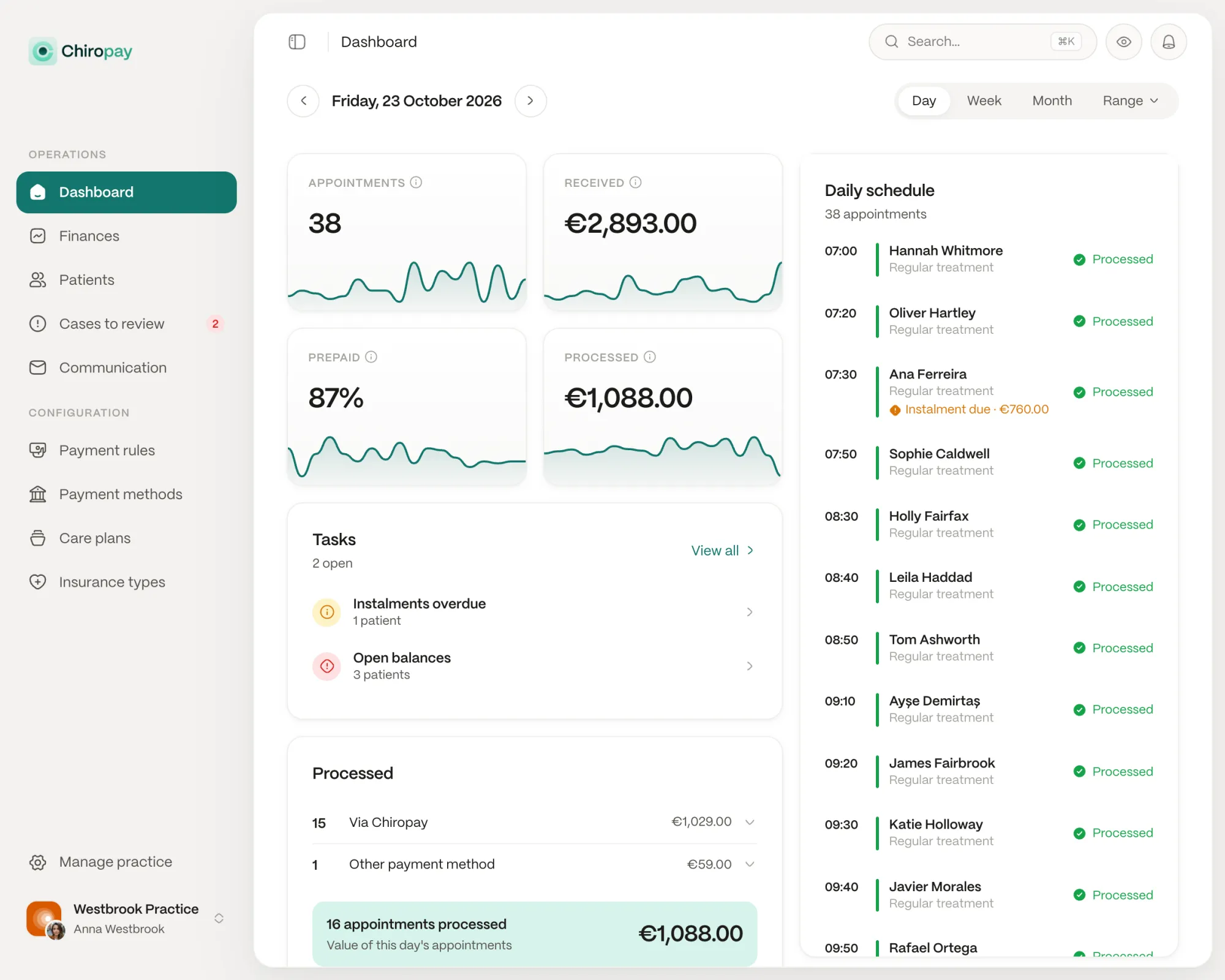
- Your daily schedule shows for every appointment whether it’s already paid.
- If it’s still open, Chiropay reminds the patient, not your team.
- The payment shows up in the patient’s Activity Log in PracticeHub, with nothing left to collect at reception.
Fees you can actually trace
PayPal fees don’t show up on any bank statement, so Chiropay collects them for you. The money lands in your own PayPal account and moves automatically to your business account, and from there Chiropay pays out each evening whatever you’ve processed.
- Chiropay reads the fee for every payment from PayPal.
- Every payout shows what PayPal took.
- At the end of the month, it’s all in one file for your accountant.
Cancelled? Money back or credit
When an appointment is cancelled, nobody has to transfer or work anything out. Chiropay asks the patient by email and refunds through PayPal.
- Cancelled before paying: the open PayPal payment is quietly withdrawn.
- After paying: the patient chooses between credit and a refund.
- If they don’t reply, they automatically get their money back through PayPal after 14 days.
Your money never sits with us.
Your patients pay straight into your own accounts at PayPal, Qonto and Mollie. Chiropay never holds a single cent of your money.
Learn moreQuestions about PayPal and Chiropay.
What practices want to know about PayPal with Chiropay.
PayPal in the demo.
In a demo, we’ll show you what paying looks like for your patients and what then appears in PracticeHub.
Read on